Free, private, no watermark
PetPet Generator
Turn a photo or avatar into a looping hand-patting GIF. Upload a PNG, JPG or WebP, adjust the motion, and download for free. No account or watermark; your image is processed on your device.
Drop an image here
Choose one PNG, JPG or WebP, up to 20 MB and 40 megapixels. Your image stays in this browser. Download before leaving the page.
Live preview is ready
Upload an image and tune the animation before exporting.
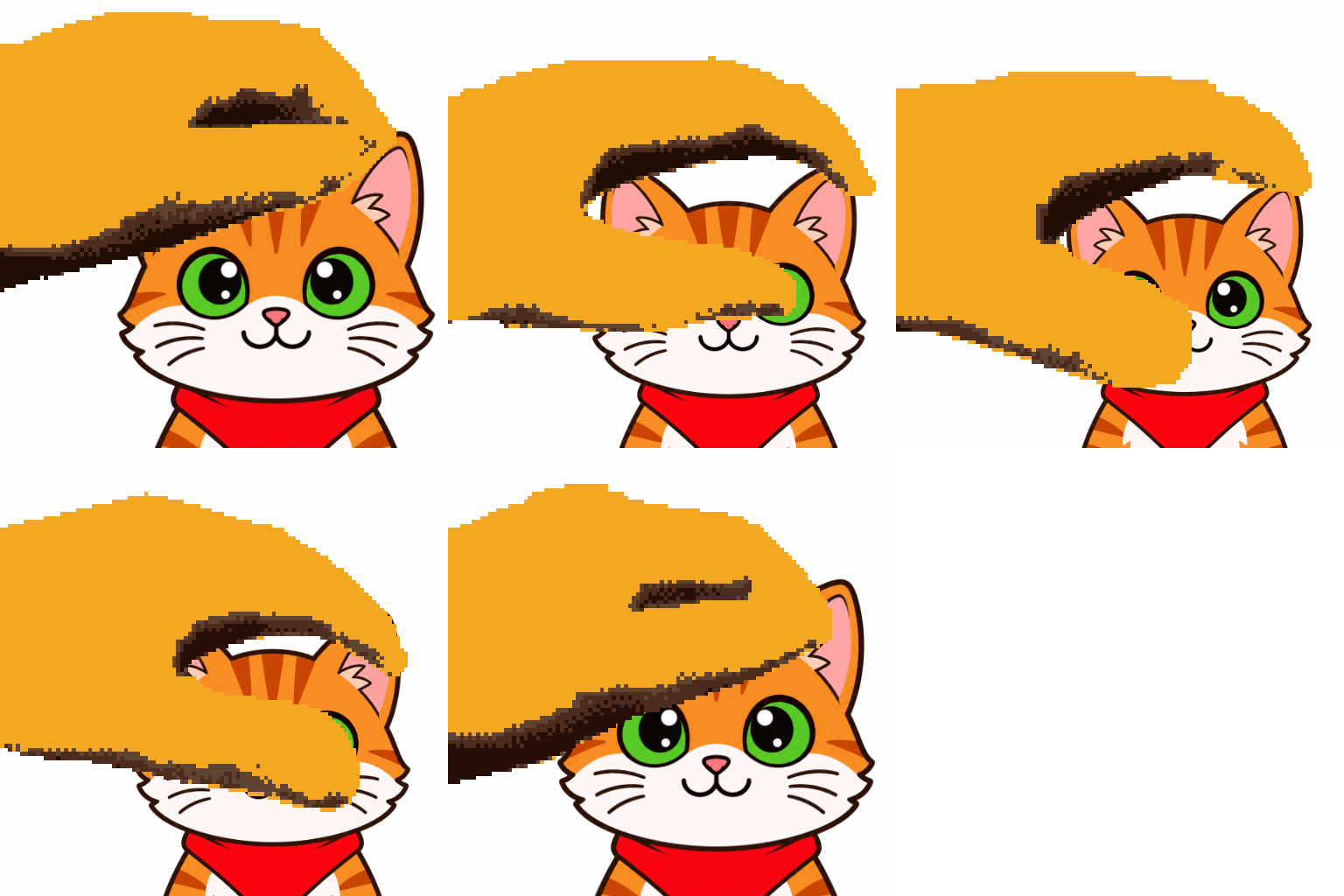
One image, a classic headpat loop
This is an actual export from this tool, not AI animation: 512 × 512, five frames, a 0.65-second loop; 8 fps, squish 1.25, image size 120%, position −12 / −30, Fit mode and white background.
Download the sample source and try it
Transparent source images are accepted, but the GIF is flattened onto your selected background color. This tool uses a fixed hand and image deformation, not new expressions or blinking. GIF has a limited palette; a larger export cannot restore missing source detail.
Made for memes
A tiny GIF format with a lot of personality.
PetPet works because one hand motion can turn almost any avatar, mascot, logo, or friend photo into a reaction people understand instantly.
Remix any image
The PetPet format works because the hand animation can be applied to almost any avatar, mascot, logo, or character.
Built for communities
It became useful as a compact reaction in Discord, Twitch, Reddit, and group chats where custom emotes spread fast.
Simple but expressive
The motion reads as affection, teasing, approval, or chaos depending on the image and speed.
Core tools
Everything you need to make the GIF feel right.
Runs fully in your browser
Your selected image and GIF stay in browser memory. Download the result before leaving; the site does not save an online history.
Live animation controls
Tune speed, squish, scale, flip, positioning, and hand color before exporting the GIF.
Sharp 64px to 1024px export
Frames render directly at the selected size with a shared animation palette.
Faster workflow
Make a PetPet GIF without fighting the tool.
Start with the generator
The upload area appears before the long content, so you can make the GIF first and read tips only when you need them.
Dial in the motion
Speed, squish, scale, flip, positioning, hand color, export size, and background color are all available in one tight workspace.
Export a cleaner source
The preview uses a high-density canvas, and GIF frames share one palette for cleaner Discord emotes, Twitch reactions, and sticker packs.
Better results
Best PetPet settings for clean emotes.
Upload
Drop in a PNG, JPG, or WebP image.
Customize
Pick a hand tone and adjust the motion until it feels right.
Export
Generate a GIF locally and download the finished meme.
FAQ
PetPet generator FAQ
What is a PetPet GIF?
A PetPet GIF is a looping reaction meme where a hand pats, squishes, or pets an image. People use it for Discord emotes, Twitch chat, Slack reactions, profile pictures, mascots, and inside jokes.
Why did the PetPet meme get popular?
The format is instantly readable: one image plus one physical gesture. It spread because communities could remix it with any character, avatar, logo, or friend photo and use it as a compact reaction emote.
Are uploaded images sent to a server?
No. Source images and generated GIFs are processed in this browser, not uploaded to a server. Opening the website still makes ordinary hosting requests; the privacy policy explains these separately.
What size should I export for Discord or Twitch?
112 x 112 is the classic PetPet size and works well for Discord-style reactions. Use 256 or 512 for cleaner stickers and 1024 when you want a high-quality source before platform compression.
Can I adjust the face position?
Yes. Drag the preview or use horizontal and vertical position sliders. This is useful when the subject needs to sit under the hand instead of being centered automatically.
Can I change the hand skin tone?
Yes. Pick one of the skin tone presets or choose a custom hand color. You can also change the GIF background color.